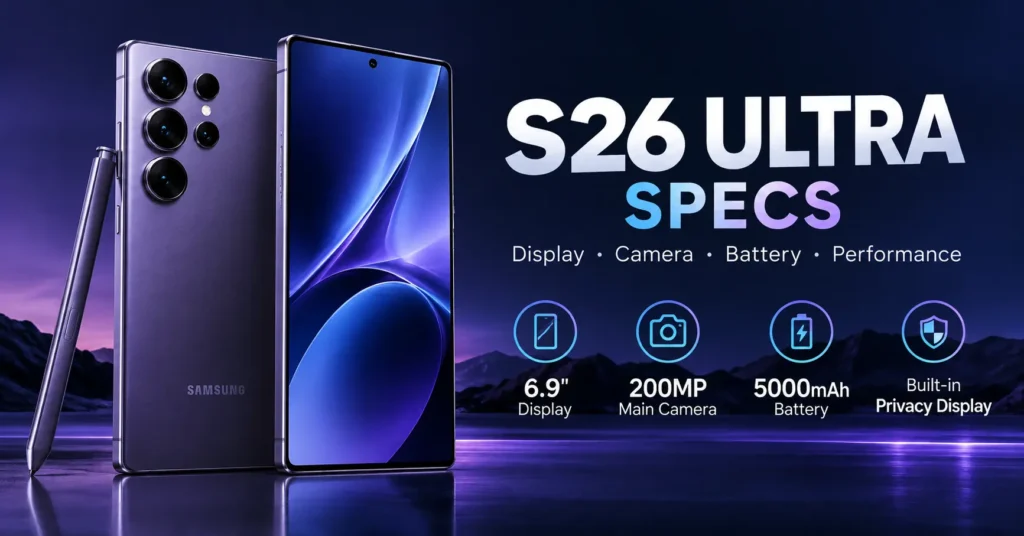
Shopping for a new flagship? The S26 Ultra specs read like a wish list: a 6.9-inch screen, a Snapdragon 8 Elite Gen 5 chip, and a 200MP camera with a wider f/1.4 aperture. But numbers alone don’t tell you what matters. This guide breaks down every key spec in plain English, shows how the storage models differ, and helps you decide if the Samsung Galaxy S26 Ultra fits your needs.
S26 Ultra Specs at a Glance
The Samsung Galaxy S26 Ultra is Samsung’s top-tier Android phone, and its spec sheet shows it. You get a 6.9-inch Dynamic LTPO AMOLED 2X display, a 3nm Snapdragon 8 Elite Gen 5 processor, and a 5,000 mAh battery. The phone runs Android 16 with One UI 8.5. Samsung also promises seven years of software updates, which keeps the phone secure and current for years.
Below is the quick-reference table most shoppers want. Use it to check the core S26 Ultra specs in seconds, then read on for the details behind each line. Keep in mind that specs can vary slightly by region and carrier, so confirm the final numbers on Samsung’s U.S. product page before you buy. Community databases like GSMarena also track detailed breakdowns and are handy for side-by-side checks.
| Category | Specification |
| Display | 6.9-inch QHD+ (1440 x 3120), 120Hz |
| Processor | Snapdragon 8 Elite Gen 5 (3nm, octa-core) |
| RAM | 12GB (16GB on the 1TB model) |
| Storage | 256GB, 512GB, or 1TB (non-expandable) |
| Rear cameras | 200MP main, 50MP ultra-wide, 50MP periscope, 10MP telephoto |
| Front camera | 12MP, f/2.2 |
| Battery | 5,000 mAh |
| Charging | 60W wired, 25W wireless |
| Software | Android 16, One UI 8.5 |
| Durability | IP68 water and dust resistance |
Display and Design
The screen is the star. Samsung uses a 6.9-inch Dynamic LTPO AMOLED 2X panel with QHD+ resolution (1440 x 3120 pixels, about 498 ppi). That density keeps text razor sharp. The 120Hz dynamic refresh rate makes scrolling smooth, and peak brightness reaches 2,600 nits, so you can read it in direct sunlight. A built-in anti-reflective coating cuts glare even further on bright days.
Samsung also added an integrated Privacy Display layer, which limits what people beside you can see. That helps on trains, planes, and in coffee shops. Protection comes from Corning Gorilla Armor 2 on the front and Gorilla Glass Victus 2 on the back. The frame uses Armor Aluminum 3. At 163.6 x 78.1 x 7.9 mm and 214 grams, the phone is big, but it carries IP68 water and dust resistance.
Performance, RAM and Storage
Under the hood sits the Qualcomm Snapdragon 8 Elite Gen 5, built on a 3nm octa-core design. In everyday terms, apps should open fast, games should run smoothly, and multitasking should feel effortless. Samsung pairs the chip with 12GB of RAM on every model, while the 1TB version steps up to 16GB. That extra memory helps if you edit video or keep many apps open at once.
Storage comes in 256GB, 512GB, and 1TB options, and none of them are expandable. There is no microSD slot, so choose carefully. Photos and 4K video files add up quickly, so think about how much you shoot. The phone ships with Android 16 and One UI 8.5, and Samsung backs it with seven years of software updates. That long support window protects your investment.
Camera System
The S26 Ultra’s 200MP quad-camera system is its biggest talking point. The main wide camera uses an f/1.4 aperture, and Samsung says the sensor is 47% brighter than before, with upgraded Nightography for low-light shots. A wider aperture lets in more light, so night photos should look cleaner and sharper. The other three rear cameras cover ultra-wide, 3x, and long-range zoom.
Zoom is flexible. The 50MP periscope telephoto delivers 5x and 10x optical zoom and uses an All-Lens on Prism (ALoP) design, while the 10MP telephoto handles 3x at f/2.4. The 50MP ultra-wide (f/1.9) captures big landscapes and group shots. Up front, a 12MP f/2.2 selfie camera handles video calls. Horizon Lock keeps videos level, and a dedicated underwater photography mode adds creative options.
| Camera | Resolution | Aperture / Zoom | Best For |
| Main (wide) | 200MP | f/1.4 | Everyday and night shots |
| Ultra-wide | 50MP | f/1.9 | Landscapes, group photos |
| Periscope telephoto | 50MP | 5x / 10x optical | Distant subjects |
| Telephoto | 10MP | 3x optical, f/2.4 | Portraits |
| Front | 12MP | f/2.2 | Selfies, video calls |
Battery, Charging and Connectivity
A 5,000 mAh battery powers the phone. Real-world endurance depends on how you use it, but a large, bright screen is usually a big power draw, so the dynamic refresh rate helps. Wired charging tops out at 60W, which Samsung says reaches 75% in roughly 30 minutes. The power adapter is sold separately, so budget for a compatible charger if you don’t already own one.
Wireless options are strong too. You get 25W wireless charging and wireless PowerShare, which lets you top up earbuds or a watch from the phone’s back. For connections, the phone supports Wi-Fi 7, Bluetooth 6.0, Ultra-Wideband (UWB), NFC, and USB-C 3.2. UWB helps with precise device tracking, and NFC powers tap-to-pay. These upgrades prepare you well for newer routers and accessories.
Which Storage Model Should You Choose?
Samsung offers three storage tiers, and RAM changes only at the top. Because storage is non-expandable, your choice sticks for the life of the phone. Light users who stream and use cloud backups can pick 256GB. Photographers, gamers, and frequent 4K shooters should consider 512GB. Power users who edit video or want maximum multitasking will get the most from the 1TB model with 16GB RAM.
Follow these steps to decide:
- Estimate how many photos and videos you capture each month.
- Count the large apps and games you keep installed.
- Decide whether you rely on cloud backup.
- Pick the smallest tier that leaves you at least 30% free space.
| Model | RAM | Best For |
| 256GB | 12GB | Everyday use, streaming, cloud backups |
| 512GB | 12GB | Photographers, gamers, 4K shooters |
| 1TB | 16GB | Video editors, heavy multitaskers |
Here is a simple example. Say you shoot 20 minutes of 4K video each week and keep thousands of photos. Cloud backup helps, but local files still pile up, so 512GB gives breathing room. Compare that with someone who mainly browses, texts, and streams. For that person, 256GB is plenty. Matching storage to habits saves money without limiting what the phone can do.
Buying Checklist Before You Order
Before you buy, weigh the specs against your daily habits. The S26 Ultra suits people who want a big screen, flexible zoom, and long software support. It may feel oversized if you prefer compact phones. At 214 grams, it is also heavy for one-handed use. Try one in a store if you can, and think about your case and charger needs.
Also check pricing and carrier deals, since these change often and vary by retailer. Confirm the exact S26 Ultra specs for your region on Samsung’s official U.S. site, because regional listings, including Samsung Pakistan, can list different configurations or bundled accessories. A quick comparison of two or three retailers can save real money, especially around trade-in promotions. Check the return policy too.
- Choose a storage tier (256GB, 512GB, or 1TB), since it can’t be expanded
- Decide if you need 16GB RAM (1TB model only)
- Budget for a 60W-compatible charger, since none is included
- Confirm your region’s exact specs before ordering
- Check the size and weight (163.6 x 78.1 x 7.9 mm, 214 g) in person
- Compare trade-in offers and return policies
Conclusion
The S26 Ultra specs add up to a premium package. You get a bright 6.9-inch QHD+ display with a built-in Privacy Display layer, a Snapdragon 8 Elite Gen 5 chip, and a 200MP main camera with a wide f/1.4 aperture. A 5,000 mAh battery, 60W wired charging, and 25W wireless charging round out the hardware, while seven years of software updates give the phone real staying power.
Before you order, pick your storage tier carefully, since none of them can be expanded. Remember that the charger is sold separately, and confirm regional details on Samsung’s official U.S. site. If you want a big screen, flexible zoom, and long-term support, the Galaxy S26 Ultra delivers. If you prefer a smaller, lighter phone, try one in a store first.